The moment that stopped me was line 18.
I was reading through a project's .claude/settings.local.json during a routine cleanup. Nothing dramatic, just clearing stale entries. Then I saw it: client_secret=aaf12948ecb40a7f0cb716bc5a82b8e63138be64a2. A Zoho OAuth secret, sitting in plain JSON, embedded in a Bash permission entry. It wasn't being "used" by Claude Code as credentials. But it was sitting in a config file, the kind that could quietly end up in a git commit. And it was in two separate project files. Same secret. Same refresh token.
I had been thinking of settings files as passive configuration. They're not.
Check Point Research's disclosure of CVE-2025-59536 made it explicit: "configuration files now control active execution; they're no longer passive metadata." That CVE carried a severity score of 8.7, and it worked by injecting shell commands into repository .claude/settings.json files that executed automatically when a user opened the project.
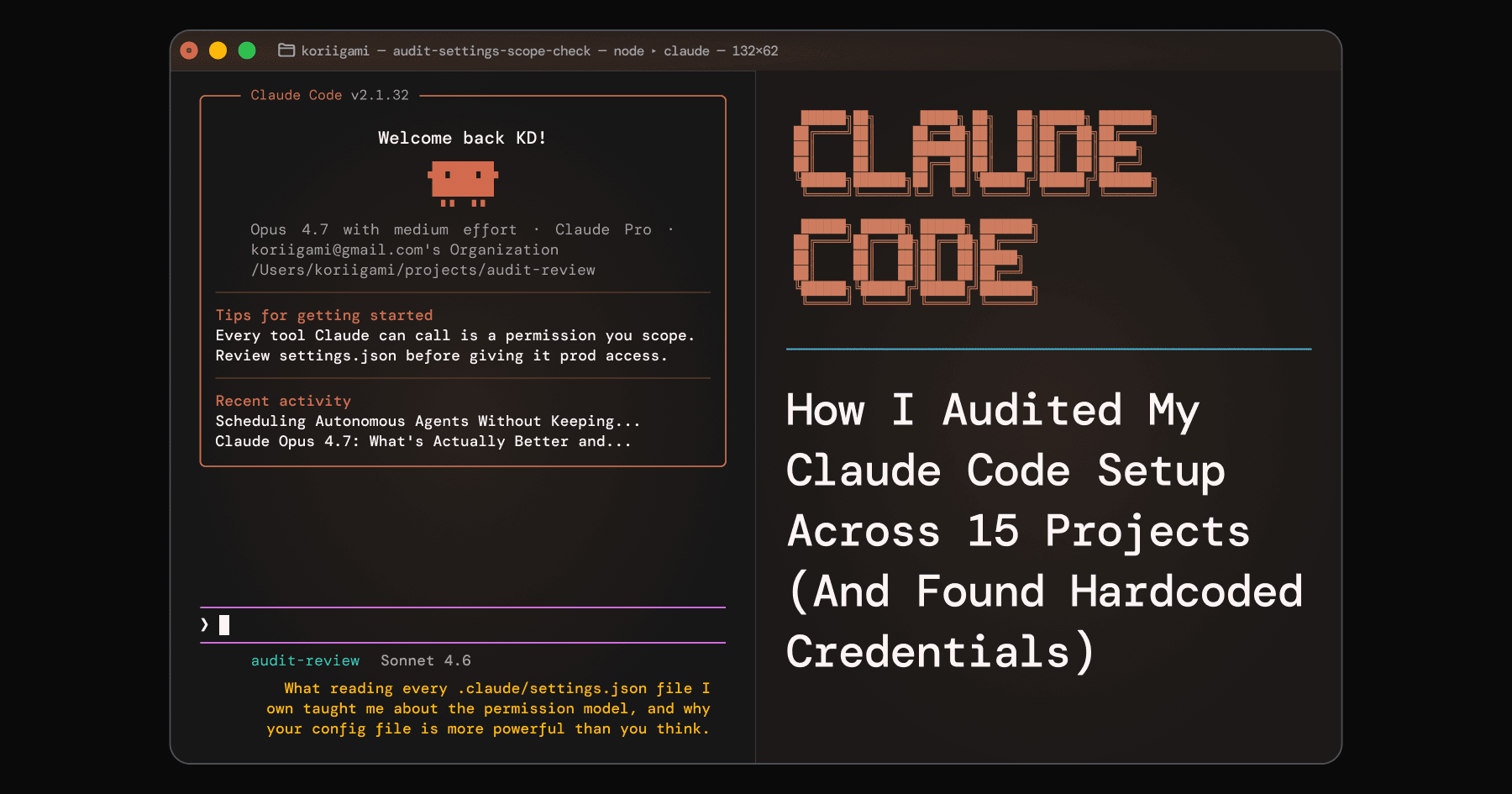
I started the session to reduce permission bloat. I ended it auditing 15 project files with a completely different understanding of what these settings do.
What the Permission Model Actually Is
Every time Claude Code wants to run a command, edit a file, or fetch a URL, it checks your permission rules. If there's a match in the allow list, it runs silently. If there's no match, or a deny rule fires, it prompts you.
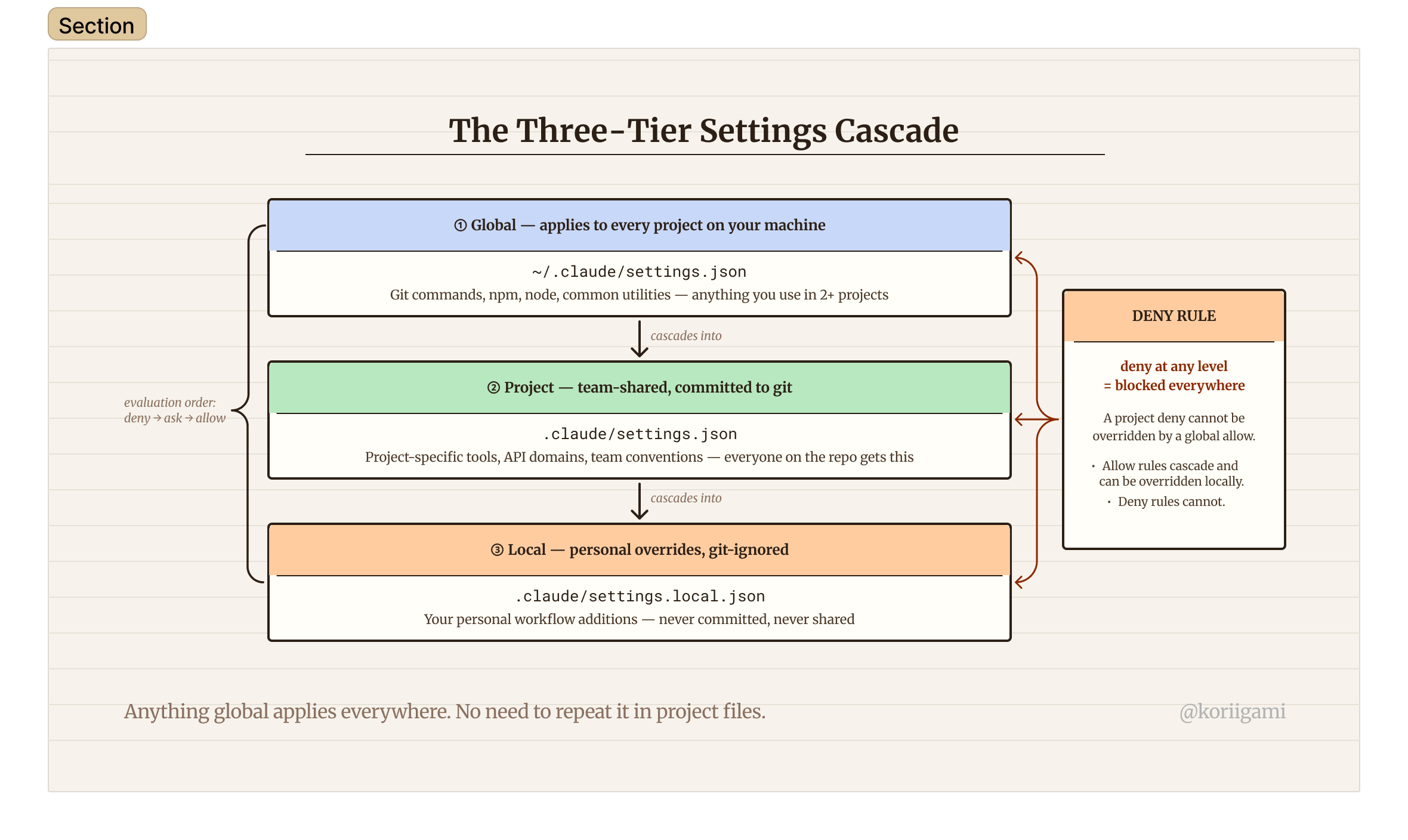
The permission system uses three rule types evaluated in strict order: deny → ask → allow. Deny always wins. An allow rule in your global file cannot override a deny rule in your project file. If anything denies a tool at any level of the settings hierarchy, nothing else can un-deny it.
The practical consequence of "yes, don't ask again": Claude Code writes that specific command into your project's settings.local.json. Do this across months and a dozen projects (every one-off task, every specific file path, every temporary debugging command) and you get what I had: 130+ entries, most of which I'd never need again.
Read-only tools (file reads, grep, glob) are auto-approved by default. They don't need permission entries at all. The entries that accumulate are all the Bash commands and file writes that generated a prompt.
The Wildcard Syntax Rabbit Hole
Here's something I had wrong for a long time: the space before * is not decoration.
Bash(git push*) and Bash(git push *) do different things. According to the official permission docs, when * appears at the end with a space before it, it enforces a word boundary. Bash(ls *) matches ls -la but not lsof. Bash(ls*) without the space matches both, because there's no word boundary constraint.
For subcommands that can run with zero arguments (bare git push, bare git status), you want the no-space form: Bash(git push*). With a space, Bash(git push *) requires at least one argument following, so a bare git push wouldn't match.
There's also a deprecated syntax hiding in most real settings files: the :* suffix. You'll see it constantly: Bash(npm install:*), Bash(git add:*), Bash(echo:*). The docs flag this as legacy: :* is equivalent to * (space + wildcard) but deprecated. It still works, but the modern correct forms are either Bash(npm install *) (with word boundary) or Bash(npm install*) (substring). When auditing old files, you'll find the :* form everywhere. It's safe to convert or leave, but worth knowing it's not the current syntax.
Global vs Project: The Three-Tier Cascade
For solo developers, Claude Code's settings operate across three practical levels:
~/.claude/settings.json: Global defaults. Applies to every project on your machine..claude/settings.jsonin your project root: Team-shared settings. Should be committed to git..claude/settings.local.jsonin your project root: Personal overrides for this project. Git-ignored.
The cascade means that anything in your global file is automatically available in every project. You never need to repeat it. This sounds obvious, but almost every project file I audited was full of global-worthy entries sitting at the project level (npm install, git push, node --version), added by auto-approval prompts that had no way to know a global entry already existed or should.
The rule I now use: if a command is useful in more than two projects, it belongs globally. If it's project-specific (a particular API domain, a custom script path, a niche tool), it belongs locally.
Deny is also absolute across all levels. If you deny a tool in your project settings, your global allow doesn't save it. The project-level deny wins, which is the point: teams can enforce restrictions that individual developers can't accidentally override.
The Audit: Four Categories of Junk
Going through 15 project files, every entry I found fell cleanly into one of four categories.
Category 1: One-off commands. The most common. Eight separate mkdir -p entries for a directory structure created once during setup. A six-step Python venv installation for a document conversion script I ran once. A specific commit message (the full literal string git commit -m "docs: Initial Pikaku brand...") permanently whitelisted. Every "yes, don't ask again" from a one-time task becomes a permanent entry unless you manually remove it.
Category 2: OS-specific commands on the wrong machine. I found Bash(dir:*), Bash(findstr:*), Bash(nul), Bash(taskkill:*), and Bash(if exist "apps\\web\\.next" rmdir /s /q "apps\\web\\.next"), all Windows shell commands sitting in my macOS project files. They'll never match anything on a Mac. These are easy to spot during an audit: any \\ path separator or Windows-specific utility name is safe to delete if you're on macOS.
Category 3: Redundant globals. Every project had git add, git commit, git push, node --version, npm install, and echo sitting at the project level. Once you build a solid global config, these become pure noise. Not harmful, just misleading. They make it look like these permissions aren't global when they are, and they make project files harder to read.
Category 4: The security finding. While auditing toshalife-monorepo, I found two Bash permission entries that were full curl commands for refreshing a Zoho OAuth token, with the client secret and refresh token embedded as literal string arguments. Claude had used curl to refresh the token during a session. I'd approved it. Claude saved the exact command, credentials included, to settings.local.json.
The immediate risk is low: settings.local.json is git-ignored by default. But as Check Point's CVE research showed, project configuration files are now part of your attack surface. Credentials in a config file, even a git-ignored one, should be treated as potentially exposed. I removed both entries and rotated the credentials.
The Cleanup Methodology
Read every file yourself. For each entry, ask four questions:
- Is this already in my global file? If yes, delete it from the project file.
- Is this command OS-specific? If it can't run on your current machine, delete it.
- Was this a one-time operation? If the action is done and won't happen again, delete it.
- Does this contain secrets? Credentials, tokens, or API keys: remove immediately. Rotate them if there's any chance the file was ever committed to git.
Build your global file deliberately before cleaning project files. Add entries that belong globally first, then remove their duplicates from each project. Going project by project is more methodical than trying to reconcile everything at once.
The hardest entries are the legitimate project-specific ones, because they're the ones actually doing work. When in doubt: keep it. Deleting something you still need means a permission prompt next time, annoying but recoverable. Deleting something real means interruption. Keeping noise just means a longer file.
Before and After
I started with 130+ entries in ~/.claude/settings.json and proportional bloat across 15 project files.
After the audit: the global file sits at ~50 intentional entries, organized by category (git patterns, npm/node tools, unix utilities, mobile tooling (ADB/EAS), Read paths, WebFetch domains). Each project file now contains only what's unique to that project. I can open any of them and immediately understand every entry.
The practical change: git init, git push -u origin main, and every common git subcommand now run silently across all projects without accumulating new entries. That's the actual goal: not minimizing entry count, but making every entry intentional.
If you haven't read your own settings files recently, start with the global one. Open ~/.claude/settings.json and ask honestly: do I recognize every entry? Would any of them embarrass me in a security review?
The config files are no longer just configuration. They're the rules your agent runs by.
For setting up hooks inside these files (auto-formatters, notification handlers, env file protection), see the Claude Code Hooks guide. For the CLAUDE.md file, the other half of your Claude Code setup, see the CLAUDE.md guide.