You've opened a new Claude Code session for the third time this week. You type the same block of instructions you always type: "Review this PR diff. Check for missing error handling, performance issues, and anything that breaks our naming conventions. Format your response as a structured list by category."
Claude does a great job. Just like it did on Monday. And last Thursday.
The problem isn't that Claude can't do this. The problem is that you have to remember to ask it the right way, every single time.
Skills are the fix.
What Skills Actually Are
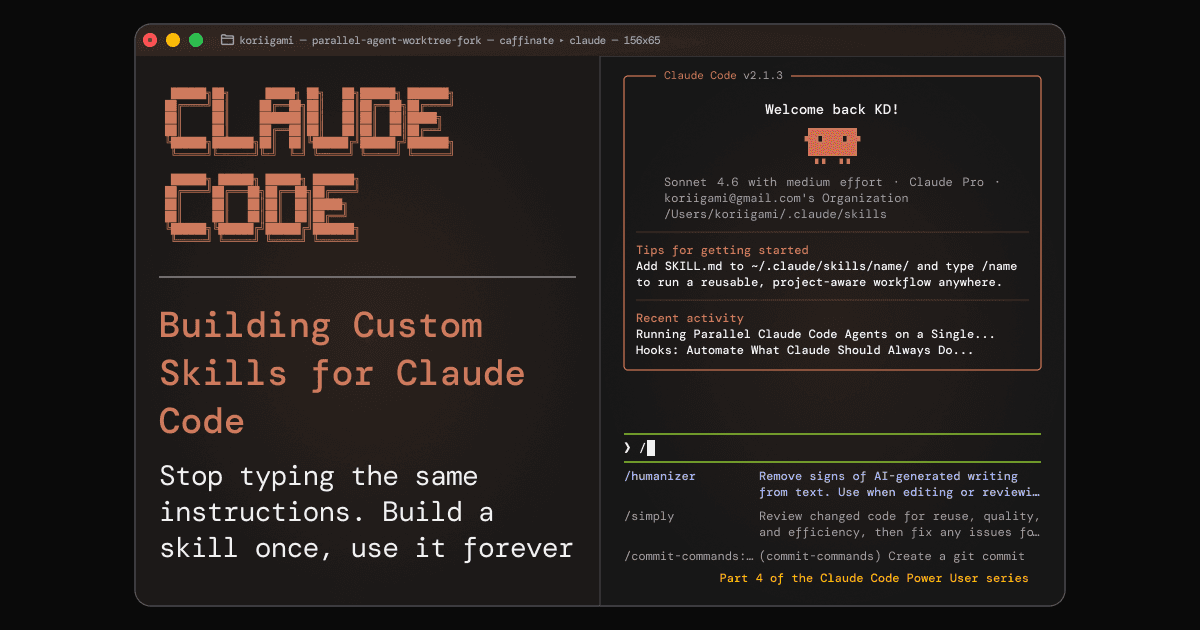
A Claude Code skill is a saved, reusable prompt, packaged as a file that becomes a slash command.
When you type /review-pr, Claude doesn't just know what to do. It loads a set of instructions you wrote once, and follows them exactly, every time. You get consistent behavior without re-explaining yourself.
The mental model: a skill is a CLAUDE.md file for a specific task. Your CLAUDE.md sets project-wide context. A skill sets task-specific context, on demand.
As of January 2026, Claude Code merged its slash commands system directly into skills [2]. These used to be two separate mechanisms; now they're the same thing. If you write a skill, you automatically get a /slash-command from it. One system, zero duplication.
If you've been using Claude Code for a while, you may have had project-specific slash commands in .claude/commands/. Those still work; they're now treated as project-scoped skills. No migration needed.
Your First Skill: /daily-standup in 10 Minutes
Here's one worth building immediately: a skill that reads your git history from the past 24 hours and formats a standup update.
Step 1: Create the skill file
mkdir -p ~/.claude/skills/daily-standup
touch ~/.claude/skills/daily-standup/SKILL.md
Step 2: Write the SKILL.md
---
name: daily-standup
description: "Summarize yesterday's git commits and generate a standup update"
version: 1
---

# Daily Standup Skill

Run the following command and analyze the output:

git log --since="24 hours ago" --oneline --author="$(git config user.name)"

Then generate a standup update in this format:

**What I did yesterday:**
- [bullet per meaningful commit or theme, grouped logically]

**What I'm working on today:**
- [leave this blank — the user will fill it in]

**Blockers:**
- None (unless the user mentions one)

Keep it concise. No filler. Each bullet should be something a teammate actually cares about.
Step 3: Use it
/daily-standup
That's it. Claude reads your git log, analyzes the commits, and produces a standup-ready summary. You fill in "today" and you're done in 30 seconds.
Global vs. Project Skills: Where to Store Them
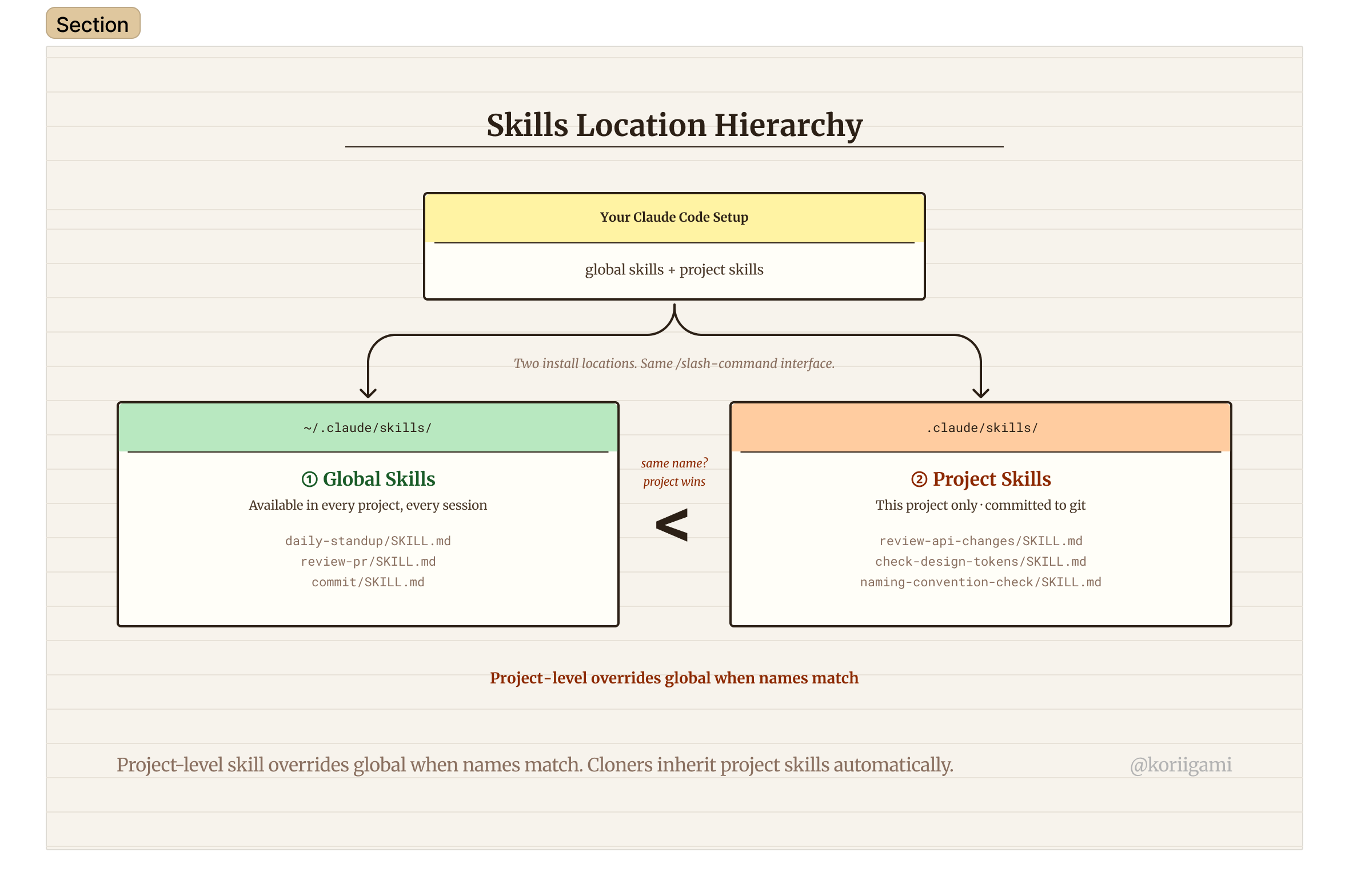
Claude Code has two places for skills [1]:
Global: ~/.claude/skills/
Stored in your home directory. Available in every project, every session. Use this for workflows that belong to you, not to a specific codebase.
~/.claude/skills/
├── daily-standup/SKILL.md
├── review-pr/SKILL.md
├── explain-error/SKILL.md
└── commit/SKILL.md
Project: .claude/skills/ or .claude/commands/
Stored inside a repository. Only available when working in that project. Use this for conventions that are specific to a codebase, like a skill that enforces your team's exact PR review checklist. Both paths work; .claude/skills/ is the newer recommended location, .claude/commands/ is supported for backward compatibility.
.claude/skills/
├── review-api-changes/SKILL.md
└── check-design-tokens/SKILL.md
Precedence rule: If you have a global skill and a project skill with the same name, the project skill wins. This lets you override global defaults per-repo [5].
A practical split: put personal productivity skills (standup, commit messages, error explanations) globally. Put repo-specific review checklists, deploy procedures, and naming convention checks in the project.
The SKILL.md Format
Every skill is a single SKILL.md file with a YAML frontmatter block followed by the instruction body [4]:
---
name: review-pr
description: "Review a pull request diff for error handling, performance, and naming conventions"
version: 1
---

# PR Review Skill

Fetch the current PR diff using: gh pr diff

Review the changes and produce a structured report with these sections:

**Error Handling:** missing try/catch, unhandled promise rejections, no null checks on external data

**Performance:** N+1 queries, unnecessary re-renders, large bundle imports

**Naming Conventions:** camelCase for variables, PascalCase for components, kebab-case for files

**Summary:** one paragraph with the overall assessment and whether this is ready to merge

Be specific. Cite line numbers where relevant.
The key fields in frontmatter:
name: becomes your/slash-command. Keep it short and a single hyphenated string.description: used for auto-discovery (more on this below). Write it as a sentence describing what the skill does, not how.version: optional. Increment when you make significant changes. Useful for skills you share or install from the marketplace; fine to omit for personal skills.
The instruction body is everything after the frontmatter. Write it in imperative voice: "Fetch the diff", "Review the changes", "Generate a report." Be explicit about what format you want Claude to produce.
Auto-Discovery: Skills That Suggest Themselves
Here's a feature that earns its keep after you've built a few skills.
Claude Code reads the description field of every installed skill at session start. When your message matches a skill's description semantically, Claude will proactively suggest using it, even if you didn't type the slash command [1].
So if you have a /review-pr skill installed with description "Review a pull request diff..." and you say "can you check this PR for issues?", Claude might respond: "It looks like your /review-pr skill is designed for this. Want me to use that?"
This is why the description field matters more than it looks. Write it as a clear, intent-describing sentence. "Review a pull request diff for error handling and naming issues" will match more reliably than "PR review helper".
Auto-discovery is most useful once you have 5+ skills installed. At that point, you stop needing to remember slash commands; Claude surfaces the right tool based on what you're asking.
The EXTEND.md Pattern: Personalizable Skills
If you install a skill from the marketplace (or share one with your team), you probably don't want to edit the base SKILL.md directly; that would break updates.
Instead, many skills support an EXTEND.md preferences file. You place it alongside the skill:
~/.claude/skills/review-pr/
├── SKILL.md        ← the base skill (don't edit this)
└── EXTEND.md       ← your personal overrides
The EXTEND.md typically uses YAML frontmatter for structured preferences:
---
version: 1
preferred_output: markdown-table
severity_levels: [critical, warning, suggestion]
ignore_patterns:
  - "*.test.ts"
  - "*.stories.tsx"
---
When Claude runs the skill, it reads EXTEND.md first and merges your preferences into the execution. You get a shared base behavior with personal customization layered on top, with no forks or merge conflicts [3].
Five Skills Worth Building
If you're a product designer or AI-first developer, these five cover most of the repetitive work:
/commit: Reads your staged diff, generates a conventional commit message in the right format, asks for confirmation before running git commit. Saves the 2–3 minutes of writing a good message under pressure.
/review-pr: Fetches the PR diff via gh pr diff, checks against your team's standards, outputs a structured review. Useful as a self-review before requesting a real reviewer.
/explain-error: Paste an error message, stack trace, or unexpected output. Claude identifies the root cause, explains what went wrong, and suggests a fix. Works well for unfamiliar errors in codebases you didn't write.
/write-component: For design-to-code work, describe a UI component, reference a Figma node if available, and specify your stack (React + Tailwind, etc.). Claude generates the component following your existing conventions, using CLAUDE.md as context.
/check-accessibility: Run against a component or page file. Checks for missing aria labels, keyboard navigation issues, color contrast violations, and focus management problems. A good pre-publish checklist.
Sharing Skills and the Marketplace
Skills are just files. Sharing them is as simple as committing them to a public repo.
The baoyu-skills marketplace (github.com/JimLiu/baoyu-skills) is the largest community collection [3]. It includes content skills, AI generation skills, and development workflow tools, most of which install via Claude Code's plugin system with a single command.
If you build a skill that works well, consider publishing it. The format is simple enough that a SKILL.md + README is a complete, installable skill package.
For team use: store project skills in .claude/skills/ in your repo. Any developer who clones the repo gets the skills automatically. No separate install step, no docs to maintain. The skill is the docs.
Getting Started Checklist
Work through these in order. Each one builds on the last.
- Identify your top 3 most-repeated Claude Code prompts (the ones you type from memory)
- Create
~/.claude/skills/if it doesn't exist - Pick the simplest repeated prompt and convert it to a SKILL.md
- Test the skill with
/your-skill-namein a real session - Refine the instruction body based on the output. Be more specific about format
- Build skill #2 and #3
- Add EXTEND.md support to any skill you might share or reuse across projects
- Browse the baoyu-skills marketplace for skills you don't need to build yourself
Start with one. The skill-building habit develops once you've felt the difference between typing a skill name and re-explaining a workflow from scratch.
You've Completed the Claude Code Power User Series
If you've followed this series from Part 1:
- You've set up a CLAUDE.md that gives Claude context about your project before you type a word
- You've configured hooks that make your best practices automatic: formatting, notifications, safety checks
- You've run parallel agents on a codebase without file conflicts using git worktrees
- And now you have skills that save your best prompts and turn them into repeatable workflows
These four things compound. A CLAUDE.md + hooks + parallel agents + custom skills is a development environment that gets noticeably more productive the more you use it, because the overhead of working with Claude goes down while the quality of its output goes up.
The rest is iteration. Build skills for the tasks that still feel slow. Update your CLAUDE.md when you learn something new about your codebase. Add hooks for the checks that matter most. The system improves as you use it.
← Part 3: Running Parallel Claude Code Agents | End of Series
Sources
[1] Claude Code documentation: Skills and slash commands: https://code.claude.com/docs/en/skills
[2] Anthropic changelog, January 2026: Slash commands merged into Skills system
[3] baoyu-skills marketplace: github.com/JimLiu/baoyu-skills
[4] Claude Code documentation: SKILL.md format and frontmatter reference: https://code.claude.com/docs/en/skills#skillmd-format
[5] Claude Code documentation: Global vs project skill precedence: https://code.claude.com/docs/en/skills#skill-locations