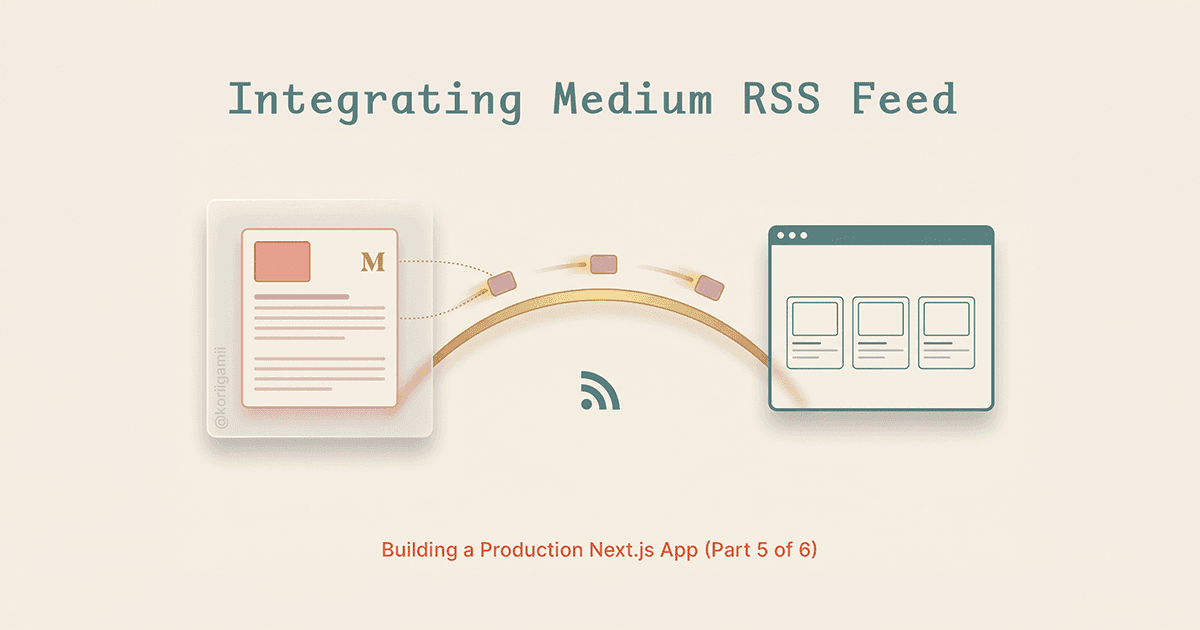
Building a blog from scratch takes time. Setting up a CMS, designing the editor, handling drafts, scheduling posts - it adds up. If you're already writing on Medium, there's a faster path: pull your Medium posts into your Next.js site via RSS.
This approach works well for portfolio sites, personal brands, and small business websites where you want blog content without the maintenance overhead of a separate CMS.
Why RSS instead of a CMS
Medium handles the writing experience, formatting, SEO, and distribution. Your Next.js site becomes a display layer that shows your latest posts. The tradeoffs:
What you get:
- No database for blog posts
- No admin panel to maintain
- Write once, publish everywhere (Medium + your site)
- Medium's built-in audience and SEO
What you give up:
- Full control over styling (you're limited to excerpts)
- Access to only your 10 most recent posts (RSS feed limitation)
- Dependency on a third-party service
For a portfolio site or business landing page, this is usually a reasonable trade.
The CORS problem
Medium provides an RSS feed at https://medium.com/feed/@yourusername. You might think you can fetch it directly:
// This won't work in the browser
const response = await fetch('https://medium.com/feed/@yourusername');
Medium's servers don't include CORS headers, so browser requests fail. You have two options:
- Fetch server-side only - Works in Next.js Server Components and API routes
- Use a proxy service - RSS2JSON converts the feed to JSON and adds CORS headers
RSS2JSON is the simpler option. It handles the XML parsing and returns clean JSON. The free tier allows 10,000 requests per day with hourly cache updates.
Setting up the feed fetcher
// lib/medium.ts

export interface MediumPost {
  title: string;
  link: string;
  pubDate: string;
  author: string;
  thumbnail?: string;
  description: string;
  categories: string[];
}

export async function getMediumPosts(
  username: string,
  limit: number = 10
): Promise<MediumPost[]> {
  try {
    const mediumRSSUrl = `https://medium.com/feed/${username}`;
    const rss2jsonUrl = `https://api.rss2json.com/v1/api.json?rss_url=${encodeURIComponent(mediumRSSUrl)}`;

    const response = await fetch(rss2jsonUrl, {
      next: { revalidate: 3600 }, // Cache for 1 hour
    });

    if (!response.ok) {
      throw new Error(`Failed to fetch Medium RSS: ${response.statusText}`);
    }

    const data = await response.json();

    if (data.status !== 'ok' || !data.items) {
      throw new Error('Invalid RSS feed data');
    }

    const posts: MediumPost[] = data.items.slice(0, limit).map((item: any) => ({
      title: item.title || 'Untitled',
      link: item.link || item.guid || '',
      pubDate: item.pubDate || '',
      author: item.author || 'Unknown',
      thumbnail: item.thumbnail || extractThumbnail(item.description || ''),
      description: cleanDescription(item.description || ''),
      categories: item.categories || [],
    }));

    return posts;
  } catch (error) {
    console.error('Error fetching Medium posts:', error);
    return [];
  }
}

export function getMediumUsername(): string {
  return process.env.MEDIUM_USERNAME || '@yourusername';
}
The next: { revalidate: 3600 } option tells Next.js to cache the response for one hour. This prevents hammering the RSS2JSON API on every page load and keeps your site fast.
Helper functions for parsing
RSS2JSON returns the post content as HTML in the description field. You need to extract useful data from it:
// Extract first image URL from HTML content
function extractThumbnail(html: string): string | undefined {
const imgRegex = /<img[^>]+src="([^">]+)"/i;
const match = html.match(imgRegex);
return match ? match[1] : undefined;
}
// Strip HTML tags from string
function stripHtml(html: string): string {
return html.replace(/<[^>]*>/g, '');
}
// Clean HTML entities
function cleanHtml(text: string): string {
if (!text) return '';
return text
.replace(/</g, '<')
.replace(/>/g, '>')
.replace(/&/g, '&')
.replace(/"/g, '"')
.replace(/'/g, "'")
.replace(/<!\[CDATA\[(.*?)\]\]>/g, '$1');
}
function cleanDescription(html: string): string {
// Take first 250 chars of content, strip HTML, clean entities
const stripped = stripHtml(html.substring(0, 500));
const cleaned = cleanHtml(stripped);
// Truncate to ~250 chars at word boundary
return cleaned.length > 250
? cleaned.substring(0, 250).replace(/\s+\S*$/, '') + '...'
: cleaned;
}The thumbnail extraction is necessary because RSS2JSON sometimes includes thumbnails in the thumbnail field, and sometimes embeds them in the description HTML. Check both.
The Medium CDN image problem
Medium hosts images on cdn-images-1.medium.com and miro.medium.com. If you use Next.js's Image component, you'll hit this error:
Error: Invalid src prop (https://cdn-images-1.medium.com/...)
on `next/image`, hostname "cdn-images-1.medium.com" is not configured
under images in your `next.config.js`
Add the Medium CDN domains to your config:
// next.config.js
/** @type {import('next').NextConfig} */
const nextConfig = {
  images: {
    remotePatterns: [
      {
        protocol: 'https',
        hostname: 'cdn-images-1.medium.com',
        pathname: '/**',
      },
      {
        protocol: 'https',
        hostname: 'miro.medium.com',
        pathname: '/**',
      },
    ],
  },
};

export default nextConfig;
Both domains are necessary - Medium uses different CDNs depending on when and how the image was uploaded.
Building the blog page
Here's a Server Component that fetches and displays posts:
// app/blogs/page.tsx
import Image from "next/image";
import { getMediumPosts, getMediumUsername } from "@/lib/medium";

export const metadata = {
  title: "Blog",
  description: "Latest articles and insights.",
};

export default async function BlogsPage() {
  const username = getMediumUsername();
  const posts = await getMediumPosts(username, 10);

  return (
    <div className="max-w-6xl mx-auto px-4 py-12">
      <h1 className="text-3xl font-bold mb-8">Blog</h1>

      {posts.length > 0 ? (
        <div className="grid grid-cols-1 md:grid-cols-2 lg:grid-cols-3 gap-6">
          {posts.map((post) => (
            <BlogCard key={post.link} post={post} />
          ))}
        </div>
      ) : (
        <p className="text-gray-500">No posts yet.</p>
      )}
    </div>
  );
}

function BlogCard({ post }: { post: MediumPost }) {
  const formattedDate = new Date(post.pubDate).toLocaleDateString("en-US", {
    year: "numeric",
    month: "short",
    day: "numeric",
  });

  return (
    <a
      href={post.link}
      target="_blank"
      rel="noopener noreferrer"
      className="group block"
    >
      <article className="h-full bg-white rounded-lg border overflow-hidden hover:shadow-lg transition-shadow">
        {post.thumbnail && (
          <div className="relative aspect-video overflow-hidden">
            <Image
              src={post.thumbnail}
              alt={post.title}
              fill
              sizes="(max-width: 768px) 100vw, (max-width: 1200px) 50vw, 33vw"
              className="object-cover group-hover:scale-105 transition-transform duration-300"
            />
          </div>
        )}

        <div className="p-6">
          <time className="text-sm text-gray-500">{formattedDate}</time>

          <h2 className="mt-2 text-lg font-semibold line-clamp-2 group-hover:text-blue-600 transition-colors">
            {post.title}
          </h2>

          <p className="mt-2 text-gray-600 line-clamp-3">
            {post.description}
          </p>

          {post.categories[0] && (
            <span className="mt-3 inline-block text-xs text-gray-500">
              {post.categories[0]}
            </span>
          )}
        </div>
      </article>
    </a>
  );
}
Since this is a Server Component, the fetch happens at build time (or revalidation time). No client-side JavaScript runs for the data fetching.
Environment configuration
# .env.local
MEDIUM_USERNAME=@yourusername
The @ prefix is required. Medium's RSS feed URL format is https://medium.com/feed/@username.
Caching strategy
The revalidate: 3600 option in the fetch call implements Incremental Static Regeneration (ISR):
- First request: Next.js fetches from RSS2JSON, caches the result
- Subsequent requests (within 1 hour): Served from cache instantly
- After 1 hour: Next request triggers background revalidation
Your blog page is always fast (served from cache) but updates within an hour of you publishing a new Medium post.
For more aggressive caching:
const response = await fetch(rss2jsonUrl, {
  next: { revalidate: 86400 }, // 24 hours
});
For development, you might want fresh data every time:
const response = await fetch(rss2jsonUrl, {
  cache: 'no-store', // Always fetch fresh
});
Handling missing thumbnails
Some posts don't have featured images. Handle this gracefully:
{post.thumbnail ? (
  <div className="relative aspect-video overflow-hidden">
    <Image
      src={post.thumbnail}
      alt={post.title}
      fill
      className="object-cover"
    />
  </div>
) : (
  <div className="aspect-video bg-gray-100 flex items-center justify-center">
    <span className="text-gray-400">No image</span>
  </div>
)}
Or use a placeholder:
const fallbackImage = '/images/blog-placeholder.jpg';

<Image
  src={post.thumbnail || fallbackImage}
  alt={post.title}
  fill
  className="object-cover"
/>
Common issues
RSS2JSON returns empty items
Your Medium username might be wrong. The format is @username, not just username. Check your Medium profile URL.
Images don't load
You probably forgot to add the Medium CDN domains to next.config.js. Both cdn-images-1.medium.com and miro.medium.com are needed.
Only seeing 10 posts
That's a Medium RSS limitation, not something you can change. The RSS feed only includes the 10 most recent posts.
Stale content after publishing
The cache takes up to an hour to refresh (or however long your revalidate value is set). For immediate updates during development, use cache: 'no-store'.
Rate limiting from RSS2JSON
The free tier allows 10,000 requests per day. If you're hitting limits, increase your cache duration or consider the paid tier. With proper caching, you shouldn't hit this limit unless you have very high traffic.
Alternative: using rss-parser
If you want to skip the RSS2JSON dependency, you can parse the RSS directly server-side using the rss-parser package:
npm install rss-parserimport Parser from 'rss-parser';
const parser = new Parser();
export async function getMediumPosts(username: string): Promise<MediumPost[]> {
const feed = await parser.parseURL(`https://medium.com/feed/${username}`);
return feed.items.map(item => ({
title: item.title || 'Untitled',
link: item.link || '',
pubDate: item.pubDate || '',
author: item.creator || 'Unknown',
thumbnail: extractThumbnail(item['content:encoded'] || ''),
description: cleanDescription(item['content:encoded'] || ''),
categories: item.categories || [],
}));
}This approach works in Server Components and API routes but not in client components (CORS still applies in the browser).
File structure
lib/
  medium.ts          # RSS fetching + parsing
app/
  blogs/
    page.tsx       # Blog listing page
next.config.js         # Image domain configuration
.env.local             # MEDIUM_USERNAME
Key takeaways
Use RSS2JSON to bypass CORS and get JSON instead of XML. Add Medium CDN domains to
next.config.js. Cache the RSS response with ISR. Medium RSS only includes your 10 most recent posts, but for most portfolios, that's plenty.
Medium's RSS feed gives you a zero-maintenance blog section. Write on Medium, and your posts automatically appear on your site. The main limitation is the 10-post cap, but for most portfolios and business sites, that's plenty.