There's a category of work that's genuinely repetitive: the Monday morning dependency scan, the PR summary that should auto-generate every time a branch is merged, the weekly competitive brief that takes 20 minutes to pull together but could be done by Claude in the background.
You know Claude could do these. But Claude only works when you're in a session, which means you either start the session yourself, every time, or the task doesn't happen.
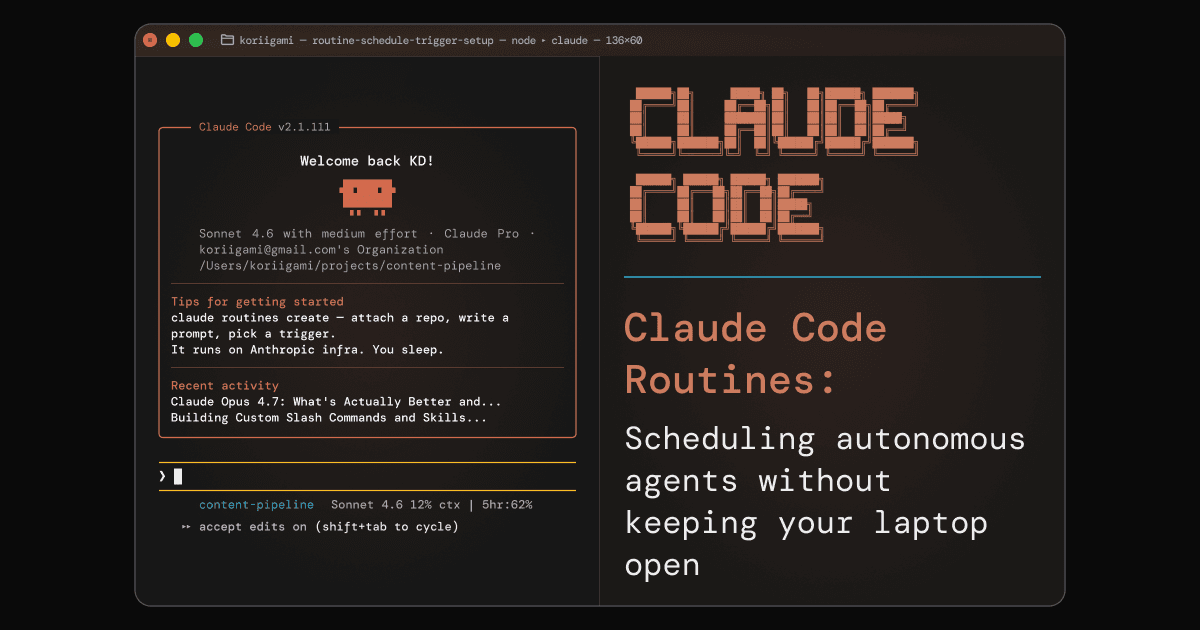
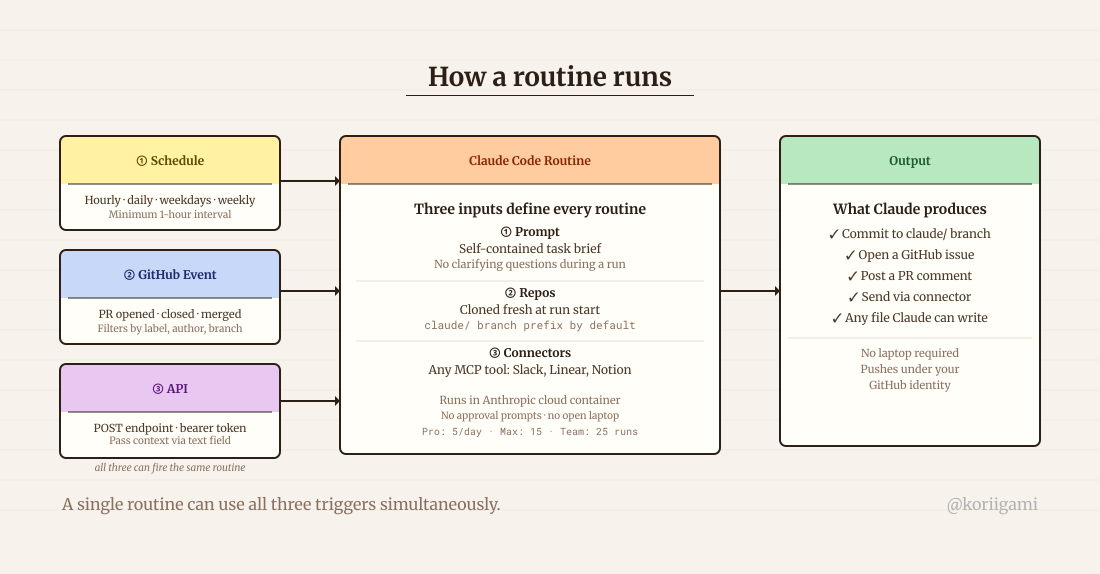
Claude Code Routines, launched April 14, 2026, closes that gap. A routine is a saved configuration: a prompt, one or more GitHub repositories, and a set of connectors. Set it once. It runs on Anthropic's cloud infrastructure (on a schedule, triggered by a GitHub event, or fired via API) with no approval prompts, no open laptop required.
This isn't another Zapier. Zapier routes data between apps. Routines write code, read files, run analysis, and commit results. The output is Claude Code's output: actual work product, not just a triggered notification.
What a routine actually is
A routine is not a background process on your machine. It runs in an Anthropic-managed cloud container, the same environment as Claude Code on the web. Your repo is cloned fresh at the start of each run. Claude executes its task. Any outputs (files edited, branches created, commits pushed) go directly to GitHub under your identity.
Three things define a routine:
A prompt. This has to be self-contained. There are no approval prompts during a run; Claude cannot ask clarifying questions or request confirmation. What you write in the prompt is the entire brief. Vague prompts produce vague routines.
One or more GitHub repos. Every routine needs at least one repository. The repo is cloned from the default branch at the start of each run. By default, Claude can only push to branches prefixed with claude/. To push to main or any existing branch, enable that per-repo in the settings.
Connectors. Any MCP connectors you've added to your Claude Code account are available to routines. Slack, Linear, Notion, GitHub, whatever you've connected. All included by default; remove what the routine doesn't need.
Run limits: Pro gets 5 runs/day, Max gets 15, Team and Enterprise get 25. One-off scheduled runs don't count against these caps.
Setting one up
Go to claude.ai/code/routines and click "New routine." Seven steps, most of them quick:
- Name it: something descriptive that will make sense in a list of routines
- Write the prompt: specific, imperative, self-contained (more on this below)
- Select repos: the repositories this routine will clone and potentially modify
- Choose an environment: controls network access and available packages; the default works for most cases
- Pick a trigger: schedule, GitHub event, API, or any combination
- Review connectors: remove any the routine doesn't actually need
- Create, then "Run now" to verify the first run before relying on it
From the CLI, /schedule accepts natural language: /schedule daily dependency scan at 9am creates a routine directly. You can manage them with /schedule list, /schedule update, and /schedule run.
One setup gotcha: GitHub event triggers require the Claude GitHub App installed on the target repository. This is a separate step from the standard GitHub auth (/web-setup). If the GitHub App isn't installed, event triggers silently won't fire. Install it from the repository settings or from the routine configuration UI before relying on event-based triggers.
Writing a prompt that works autonomously
The biggest failure mode for routines is a prompt written as if Claude can ask follow-up questions. It can't.
Bad: Review open PRs and summarize them.
Good: Review all open pull requests in the repository that have been open for more than 3 days and have no reviewer assigned. For each PR: read the diff, write a 2-3 sentence plain-English summary of what it changes, identify any obvious risks or missing tests, and post a comment on the PR with your findings. Sign off comments with "- Routine Review".
The second version leaves no ambiguity. Claude knows exactly what to look at, what to produce, and where to put it.
Three trigger types
Schedule. Recurring runs at whatever cadence you set: hourly, daily, weekdays only, weekly. Minimum interval is one hour. Useful for anything time-based: morning briefings, weekly reports, end-of-week commit summaries.
GitHub event. Fires when something happens in the repo: PR opened, PR closed, PR labeled, release published. You configure filters by author, title, base branch, labels, and draft status to control exactly which events trigger a run. Useful for automating responses to repo activity without building a custom GitHub Action.
API. Each routine gets a unique POST endpoint and bearer token. Hit it from anywhere: a webhook, another script, a mobile shortcut. Pass optional context in the text field (the contents of an alert, the body of an incoming message). Useful when you want to trigger Claude from an external system.
A single routine can use all three simultaneously.
Who this is for (beyond developers)
Most coverage of Routines focuses on engineering workflows. That's the obvious use: automated code review, dependency scanning, PR summaries. But the feature isn't limited to people who write code for a living. Any role with repetitive research, synthesis, or reporting tasks and a GitHub-hosted repo to work from can benefit.
Here are four perspectives:
Developer
Dependency audit (weekly, Monday 8am): Scans for outdated or vulnerable packages, generates an upgrade plan with breaking change notes, and posts it as a GitHub issue. You see it in your inbox Monday morning.
PR summary on merge (GitHub event: PR closed): Filters for PRs where is merged = true. Writes a human-readable changelog entry from the diff and commits it to CHANGELOG.md on a claude/changelog branch. Review and squash-merge weekly.
Test coverage gap report (weekly): Runs coverage analysis, identifies untested functions, and opens a GitHub issue ranking them by call frequency. Makes the "what should we test next" decision obvious rather than manual.
Product designer
Competitor UI monitor (weekly): Tracks a list of competitors in a competitors.md file. Searches for product update announcements, screenshots, and changelog entries. Generates a structured summary: what changed, what it means for your current design decisions.
Design handoff checklist (GitHub event: PR opened with label "design-handoff"): When a PR tagged design-handoff opens, the routine reads the linked spec file, generates an implementation checklist for the dev team, and posts it as a PR comment. Reduces back-and-forth between design and engineering.
User research synthesis (GitHub event: new file in /research/transcripts/): When a new transcript is pushed, the routine extracts themes, groups them by journey stage, and appends findings to /research/synthesis.md. The synthesis document stays current without a dedicated synthesis session.
Product manager
Sprint planning prep (Monday, before standup): Reads the current sprint backlog from a connected Linear or GitHub Projects board, maps items against estimated capacity, and generates a ranked list of what should make the sprint. Takes 30 seconds to review instead of 30 minutes to build.
Release notes on merge (GitHub event: PR merged to main with label "release"): Reads the diff, writes a user-facing release note in plain English, and appends it to RELEASES.md. By the time you're ready to communicate the release, the draft is already there.
Stakeholder update (Friday, 4pm): Pulls open issues, merged PRs, and sprint progress for the week. Generates a non-technical summary paragraph suitable for the weekly team email. You edit the tone; you don't write the first draft.
CEO / Founder
Executive digest (daily, 7am): Reads a priorities.md file you maintain in the repo, pulls recent GitHub activity across connected repos, and generates a one-page morning brief: what shipped, what's blocked, what needs a decision today.
OKR health check (biweekly): Cross-references a okrs.md file against recent commits and issues. Generates a status summary per objective: on track, at risk, or stalled. Evidence comes from actual repo activity, not self-reported status.
Board memo first draft (monthly, 1st of the month): Reads kpis.md, okrs.md, and recent activity. Generates a structured board update draft: what was planned, what shipped, what's next, what decisions are needed. You edit and finalize; you don't start from a blank page.
When not to use Routines
When the task needs your judgment mid-run. Routines are fully autonomous. If the task has a branch point ("if X, do Y; if Z, ask me first"), that ask-first path doesn't exist. Either the prompt handles the branching explicitly, or the task isn't right for a routine.
When you need local file system access. Routines run in Anthropic's cloud. They clone your GitHub repos and can read/write files within them, but they can't touch files on your machine or inside your private network.
When the task takes less than 5 minutes and you're already at your desk. For quick one-off tasks, just open a Claude Code session. The overhead of configuring and maintaining a routine only pays off when the task recurs reliably.
When you're under the run limit on the wrong plan. Five runs per day on Pro sounds like a lot until you add a daily briefing (1), a weekly report (not daily but averages), two event triggers that fire on active repos, and a Monday planning routine. Prioritize before you configure.
The shift it represents
Every role has tasks that should happen on a cadence but don't, because the friction of starting them is higher than the value of doing them once. They end up on a mental list of "things I should do regularly" that never quite makes it to "things I actually do regularly."
Routines are the infrastructure for closing that gap. Recurring work moves off your plate entirely, done in the background, waiting in your inbox when you need it.
Nick Spisak's summary is the cleanest mental model for when each Claude Code mode applies: use a routine when you want to set it and forget it, use a desktop schedule when you need local access, use /loop when you need it right now. Three modes, three different jobs.
Configure one routine this week. Something you actually do on a recurring basis, not something theoretical. See how the output compares to what you'd produce manually, and adjust the prompt from there.
Sources
[1] Introducing routines in Claude Code:
Anthropic Blog
. Launch announcement, April 14, 2026. Official framing and feature overview.
[2] Automate work with routines: Claude Code Docs. Full setup documentation: trigger types, run limits, GitHub App requirement, environment configuration, branch permissions.
[3] Claude Code Routines discussion: Hacker News. 720 points, 413 comments. Community reaction including vendor lock-in concerns and practitioner perspectives.
[4] Nick Spisak routine/schedule/loop breakdown: X. Three-mode mental model: routine (set and forget), desktop schedule (local access), /loop (right now).